
Why choose Station

Complete automation

Eliminates manual data entry activities in business applications by automating the entire workflow: document acquisition, information extraction, control, and uploading.

Data extraction with AI

Automatically reads and interprets data from both vector and structured documents (PDF, XML, EDI...) and scanned documents, thanks to AI and advanced OCR.

Automatic controls

Verifies extracted information by comparing it with data in ERP or other systems, according to customizable rules, reducing errors and inconsistencies.

Efficient

Involves the correct user only in case of anomalies or discrepancies, indicating precisely where to intervene and which data to verify.

Integrated

Thanks to the various integration methods available, it interfaces with existing ERPs and management software without requiring changes to business applications.

Flexible

Handles PDF, XML, EDI, CSV, and other file types, also allowing the conversion of the source document into new formats.

Reduces errors

By eliminating manual data entry, it zeros out input errors. It also automatically identifies and reports discrepancies between extracted data and those present in business systems.

Improves productivity

Frees people from repetitive data entry and control activities, allowing them to focus on strategic high-value-added activities.

OVERVIEW

Say goodbye to manual data entry with Station

Station is a platform dedicated to the automatic extraction of data from documents and their uploading into business applications.

It automatically acquires incoming documents from any channel, extracts relevant information, performs checks and comparisons, and finally loads the data into business systems (ERPs, management software, databases..) in a completely automatic way.

With Station you can:

  • Automate the acquisition of documents from different channels, such as email, Certified Email, and network folders.
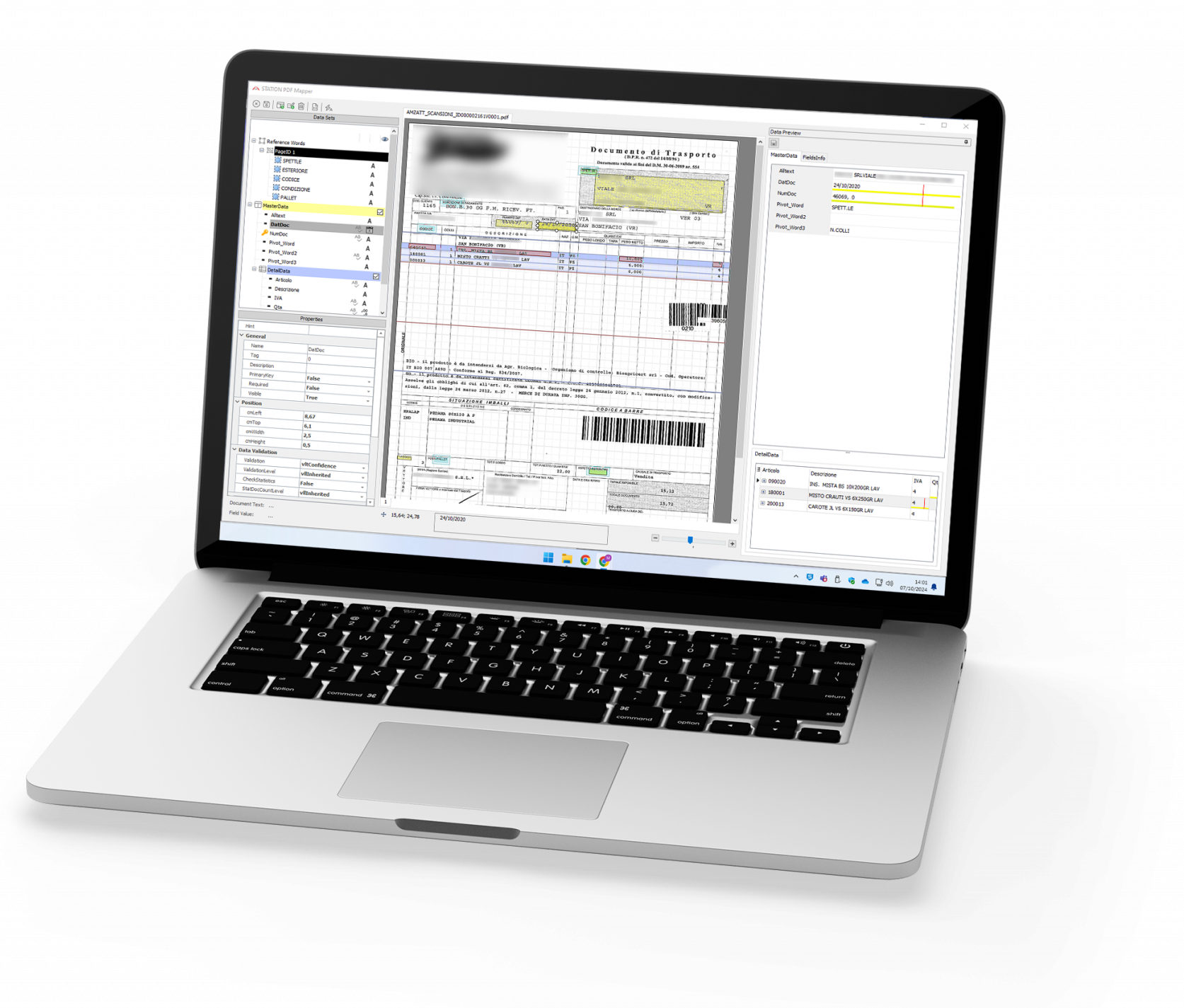
  • Extract data from structured or unstructured documents, thanks to a mapping engine, AI, OCR, and configurable rules.
  • Perform checks on extracted data by comparing them with other sources (e.g., amounts on an invoice with amounts of related orders in the ERP).
  • Convert and normalize data for subsequent use.
  • Automatically load extracted data into business applications, without any manual intervention.
FEATURED

Key features

What can you manage with the Station platform?

Document acquisition

Imports documents and files from different channels (folders, business systems, structured workflows), automatically starting the processing flow.

Multi-format management

Works with structured documents (such as XML, EDI, CSV) and unstructured ones (e.g., PDF), including scanned documents, interpreting content thanks to AI and OCR

Intelligent data extraction

Extracts information from vector and scanned documents thanks to a mapping engine, artificial intelligence, OCR, scripts, and preloaded dictionaries.

Checks and reconciliations

Performs automatic verifications and comparisons between extracted data and those in business systems, applying configurable rules.

Automatic data entry

Automatically loads data into business applications through various integration modes, without modifying existing systems.

Format conversion

Normalizes and reprocesses extracted information, adapting it to the required structure or converting it into new document formats.

Would you like to see how the Station platform works?

FEATURED

Station use cases

Station automatically acquires incoming invoices, recognizes the supplier and document type, and extracts relevant data.

For each invoice line, it performs an automatic search in the ERP for related documents (orders, delivery notes, or other reference documents) and verifies the correspondence of quantities, prices, and conditions.

  • If the data matches, the invoice is automatically registered in the ERP.

  • In the presence of discrepancies, the system activates a workflow and involves the responsible person, providing precise details of the inconsistencies to be verified and managed.


The result is a faster, controlled, and scalable process that drastically reduces manual verification and registration activities.

Station allows you to automatically load data from incoming Delivery Notes, transforming a traditionally manual process into a completely automated workflow.

  1. Automatically acquires Delivery Notes in paper form or sent by suppliers via email or other channels (e.g., EDI).
  2. Recognizes the supplier and extracts data present in the documents.
  3. Checks extracted data, verifying item transcoding and matching with orders.
  4. Performs automatic data loading into the management software/ERP, immediately updating warehouse information and incoming loads without manual intervention.

The result is a faster, traceable Delivery Note management process integrated with the information system, reducing registration times and manual checks.

Station automates the process of entering orders received from customers into the ERP, reducing operational times and errors.

The solution:

  • Automatically acquires orders received via email or through files (e.g., PDF, XML, EDI, Excel, or other digital formats);

  • Recognizes the customer and document type, applying the configured extraction rules;

  • Extracts relevant data (items, quantities, prices, references, conditions);

  • Automatically loads the order into the management software/ERP, without manual intervention.


The result is a faster, traceable, and scalable order management process, which reduces the risk of typing errors and improves the efficiency of the sales office and back office.

Bluenext software integrated with the Station platform

Globe

The Document Intelligence platform to plan, automate, and govern business processes starting from documents.

REQUEST INFORMATION

Contact us now, we're
here to help you

Contact us for more information on the Station platform and Bluenext solutions, to schedule a free demo, or to request a quote.

Rely on our consultants who will be able to point you to the right software for your needs.